
How it works
Those are not two products. They are the same one.
The teacher's assignment becomes the student's quest. The student's practice session becomes the teacher's dashboard. The teacher's judgment — only the teacher can mark a piece mastered — is what makes the student's collection worth having.
Practice you can see
Every minute counts toward something.
Your students tap start, and the timer runs while they play. Minutes turn into levels. Levels turn into a practice rank they are genuinely proud of. And you see all of it — who practiced, how long, on which piece, and whether they did what you asked — before they walk through your door.
- A live practice timer that ties minutes to the piece you assigned
- A twelve-week heat calendar for every student, at a glance
- Practice health on your daily schedule, so you know before the lesson starts
- Practice still counts with no signal — the session saves on the phone and syncs later
The collection
Finishing a piece should feel like finishing something.
When you mark a piece mastered, your student gets a card. Not a checkmark — a card, with the composer, the era, the difficulty, the day they started, the day they finished, the hours they put in, and what you wrote when they got there. It goes on a shelf that fills up over the years.
They can chase sets — one for each era, sets for Bach, Mozart, Chopin and more, and a ladder that climbs in difficulty. And they can only get a card from you. That is the whole point.
Minuet in G
J. S. Bach
Für Elise
Beethoven
Nocturne, Op. 9 No. 2
Chopin
Rêverie
Debussy
Theory that happens daily
Sixty seconds of theory, once a day.
A short warm-up drawn from wherever they are on the theory ladder — note names, rhythms, key signatures, intervals, chords, ear training. Build a test in a minute when you want one, and get back a breakdown by skill instead of a number. You will know she has key signatures cold and cannot hear a minor sixth, which is a far more useful thing to know than “78%”.
Practice
Repertoire
Theory
Consistency
The screens themselves
Not a mockup. This is the app.
Everything here is running today. Where something is still to come — lesson video, calendar sync — it is marked as coming rather than drawn as though it were finished.
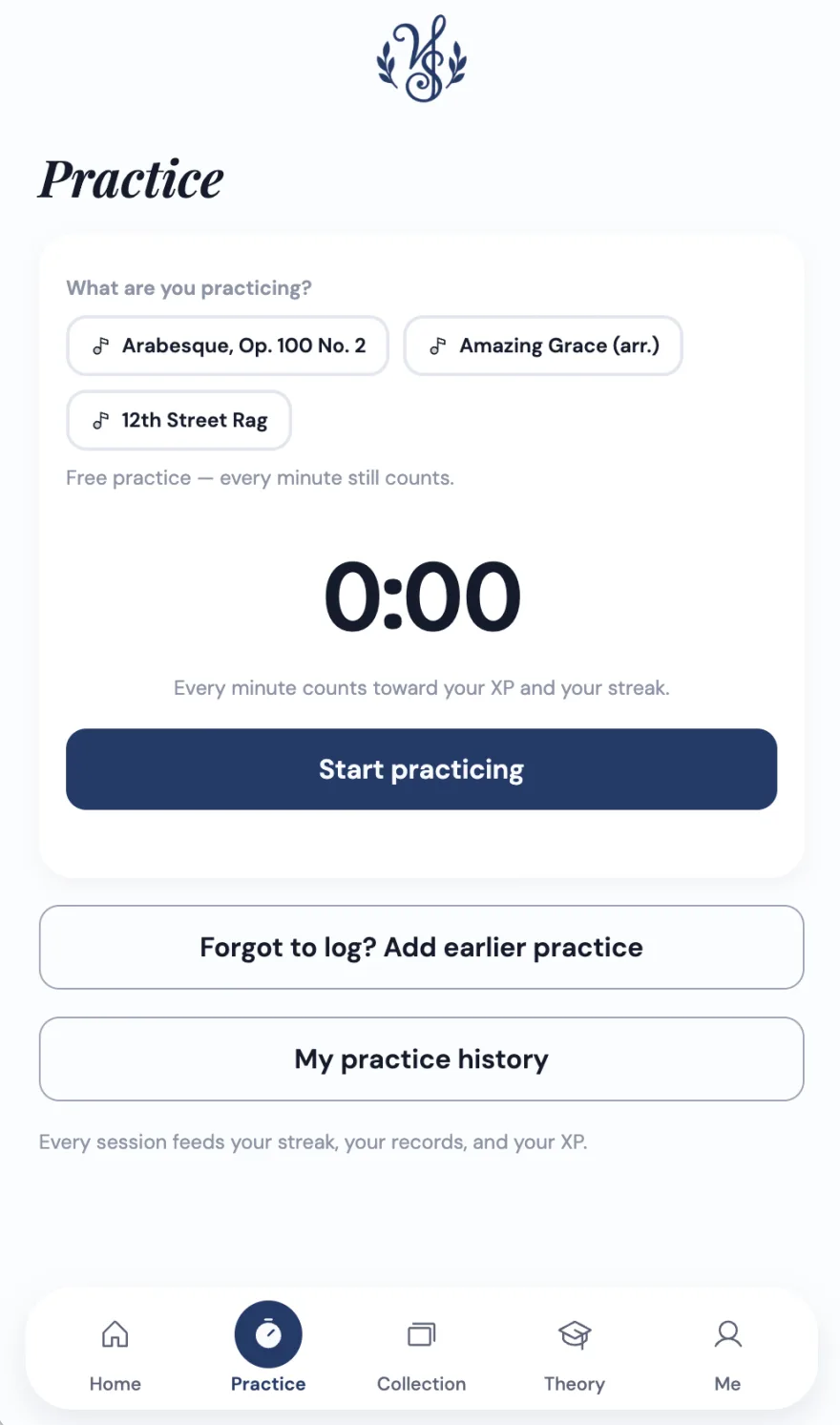
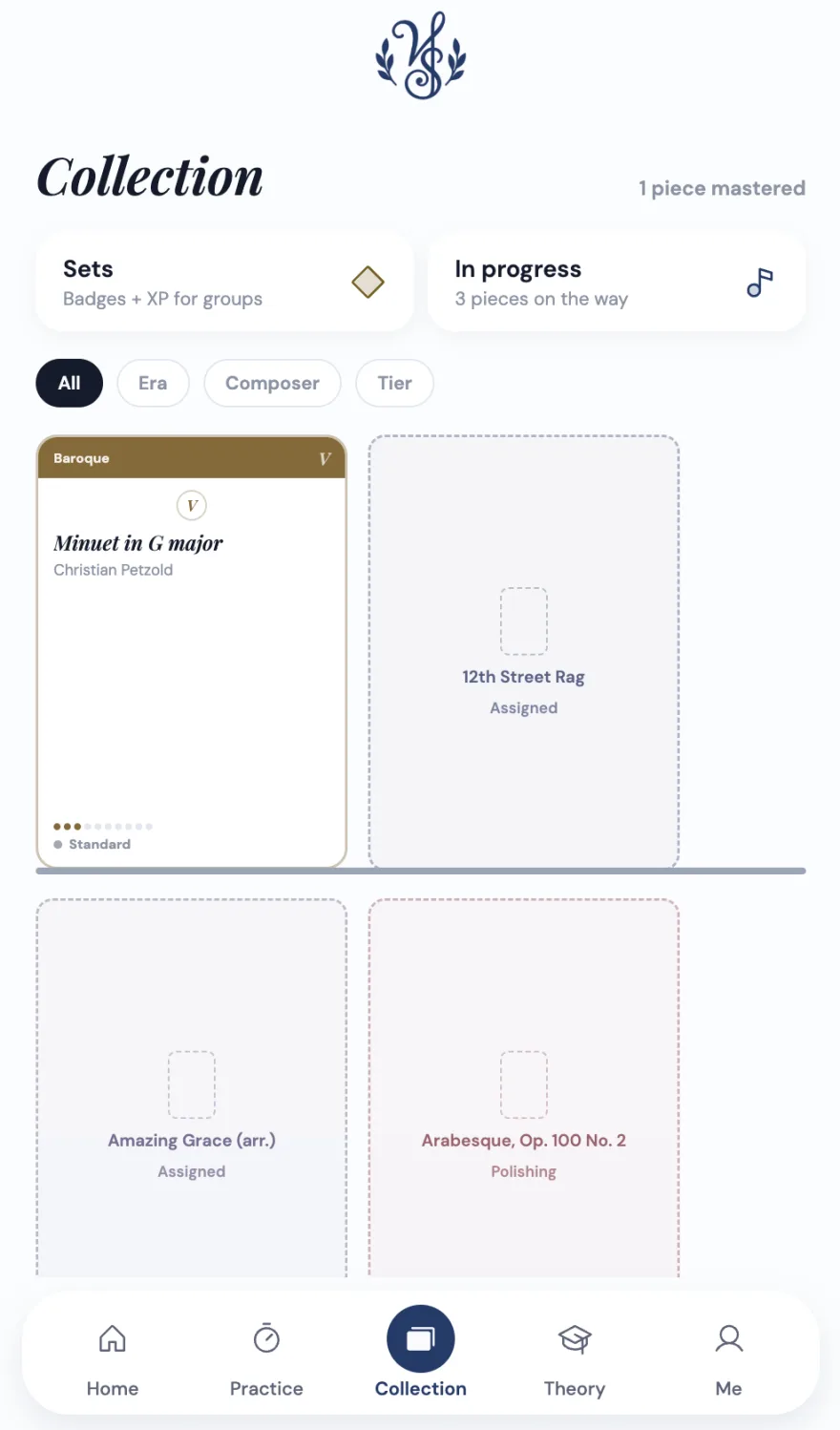
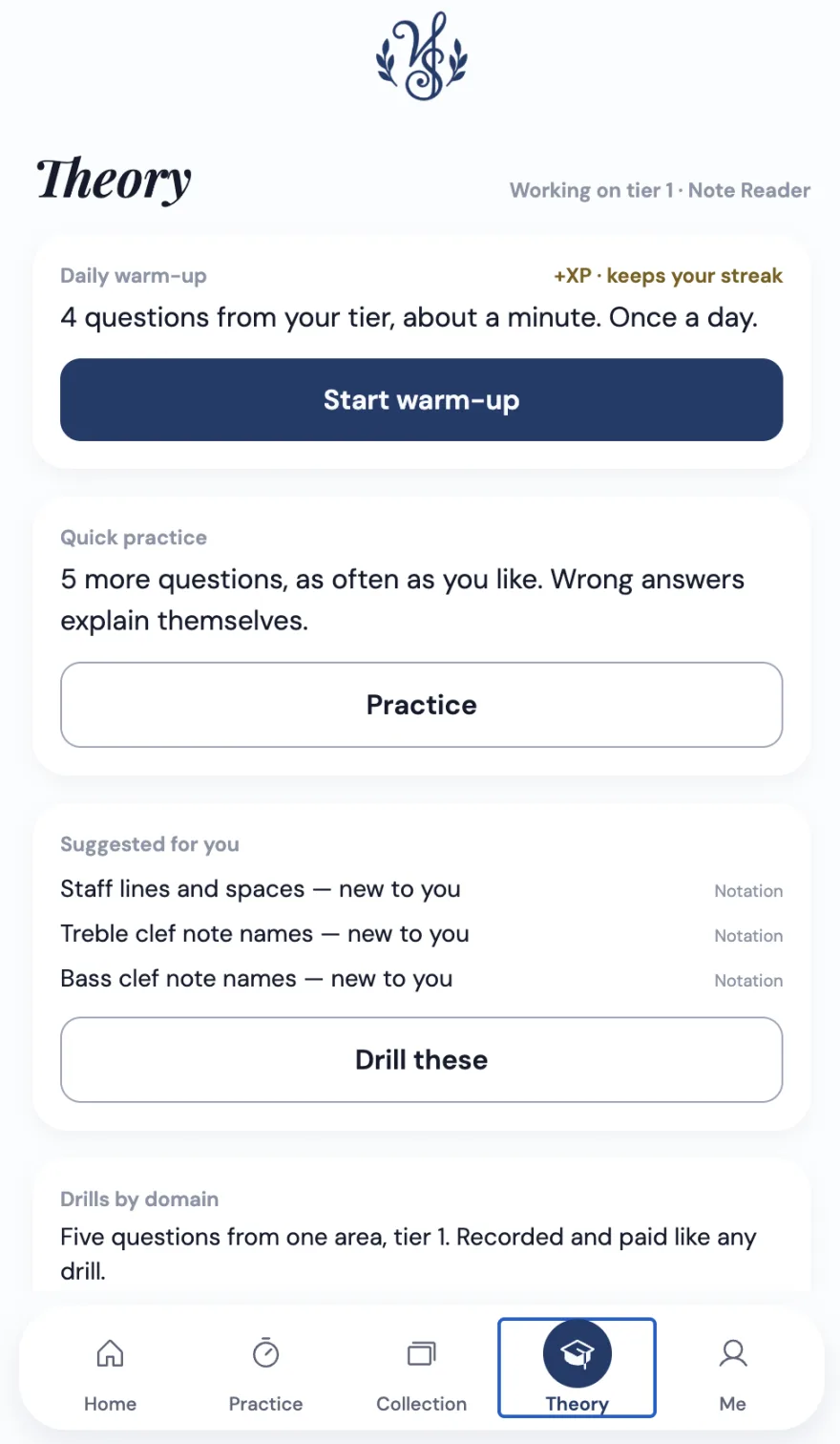
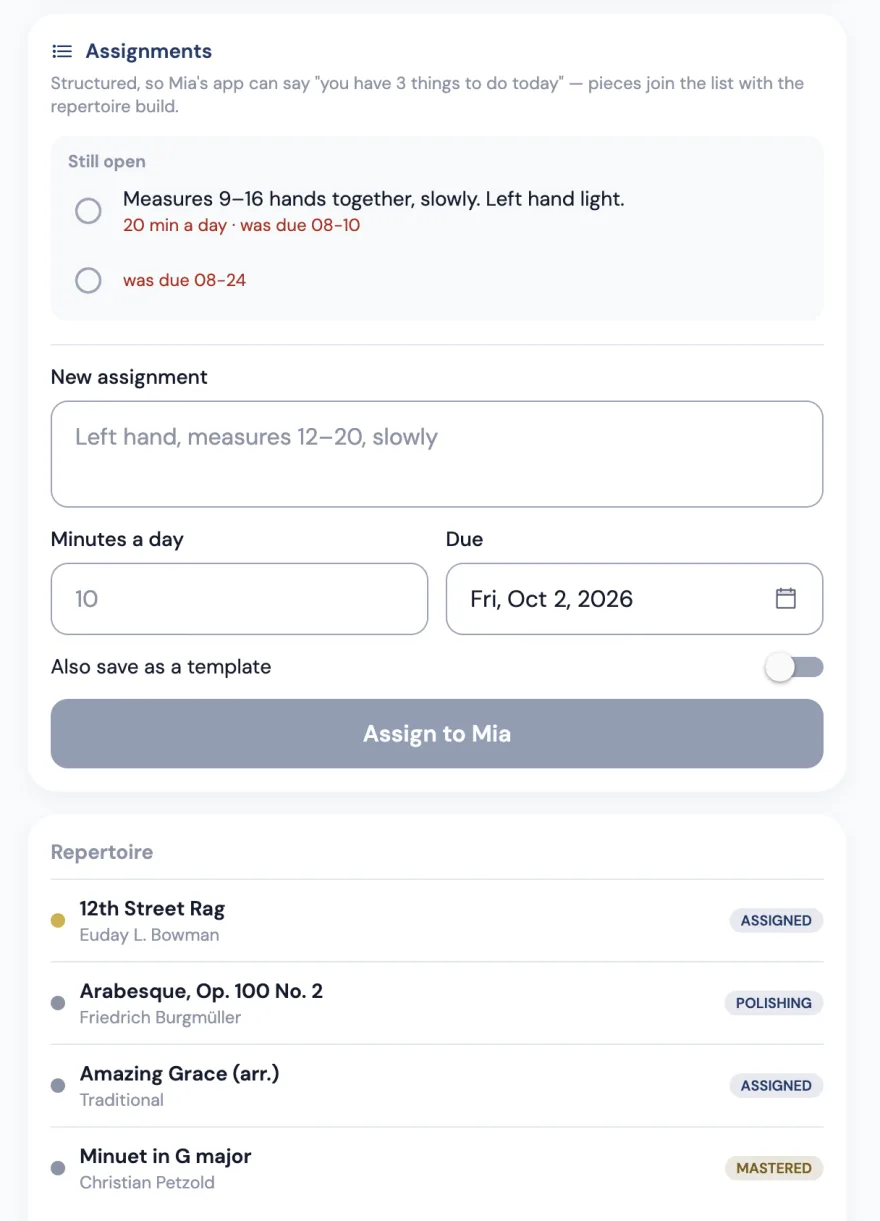
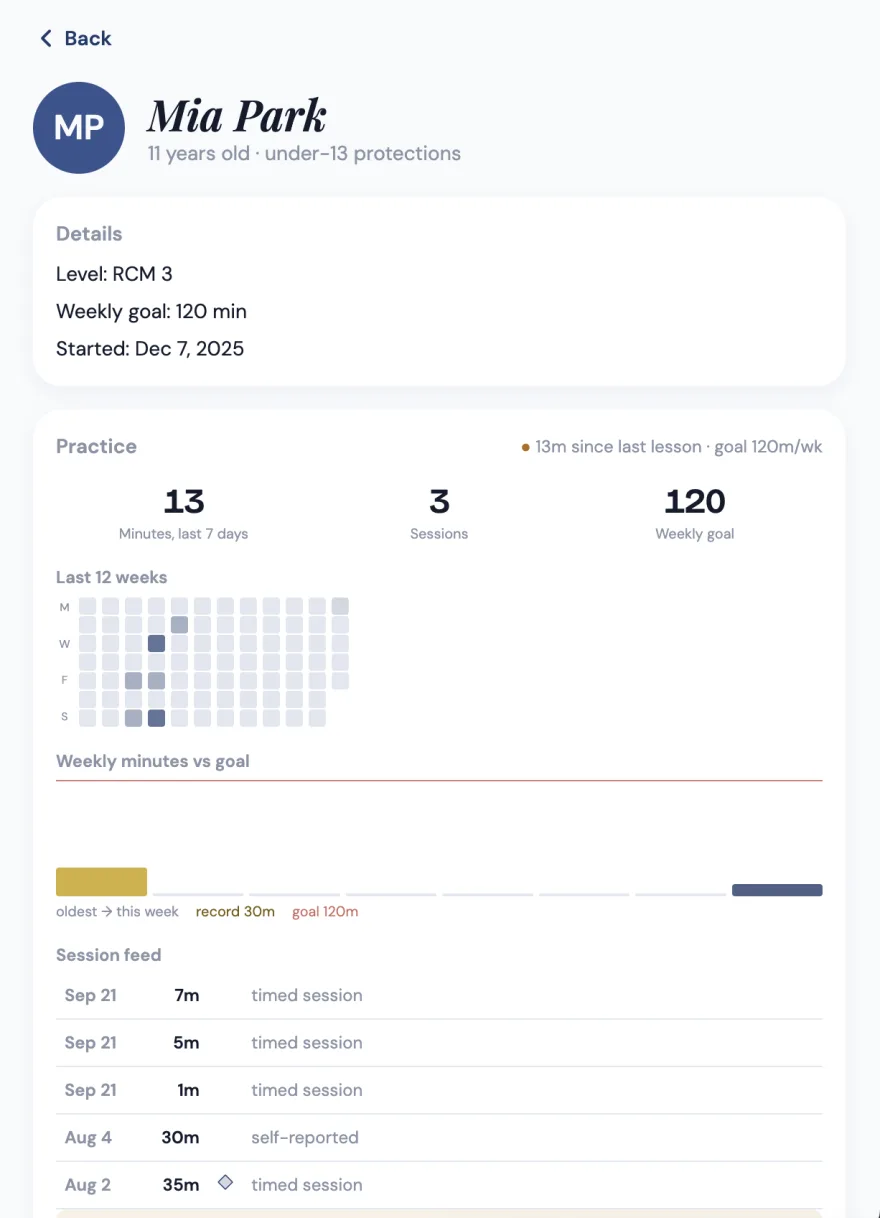
Screens from the live app. The students, names, ages and lesson times in them are invented sample data — no real child appears on this site.
Records worth breaking
The app remembers their best week. And reminds them.
Longest session. Most minutes in a day, a week, a month. Longest streak. Fastest piece finished. Most pieces in a month. Vittoria Music Studio tracks all of it and tells them how close they are to beating themselves — because the only student worth competing with is the one they were last month.
And one missed day does not have to end a streak: every seven days of practice earn a rest day that covers one. Nobody should quit piano because an app made them feel guilty on a Tuesday.
Your studio, organized
The calendar, the notes, the week. One place.
- Weekly and every-other-week lessons, with makeups, cancellations and your own cancellation policy
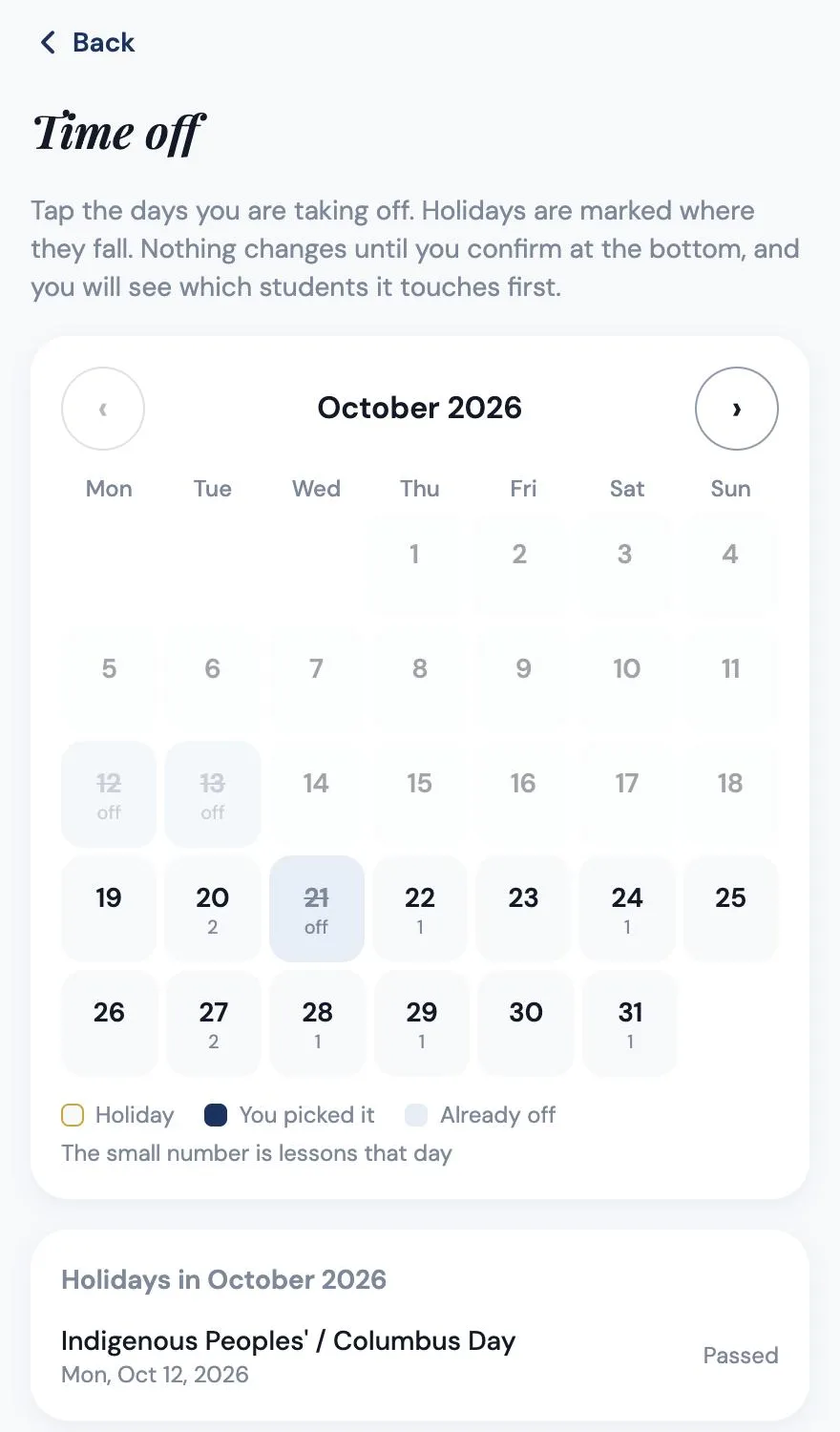
- A time off calendar: tap your days off, and every affected family is emailed your open make-up times
- Requests to move a lesson land in one list, and most take one tap to accept
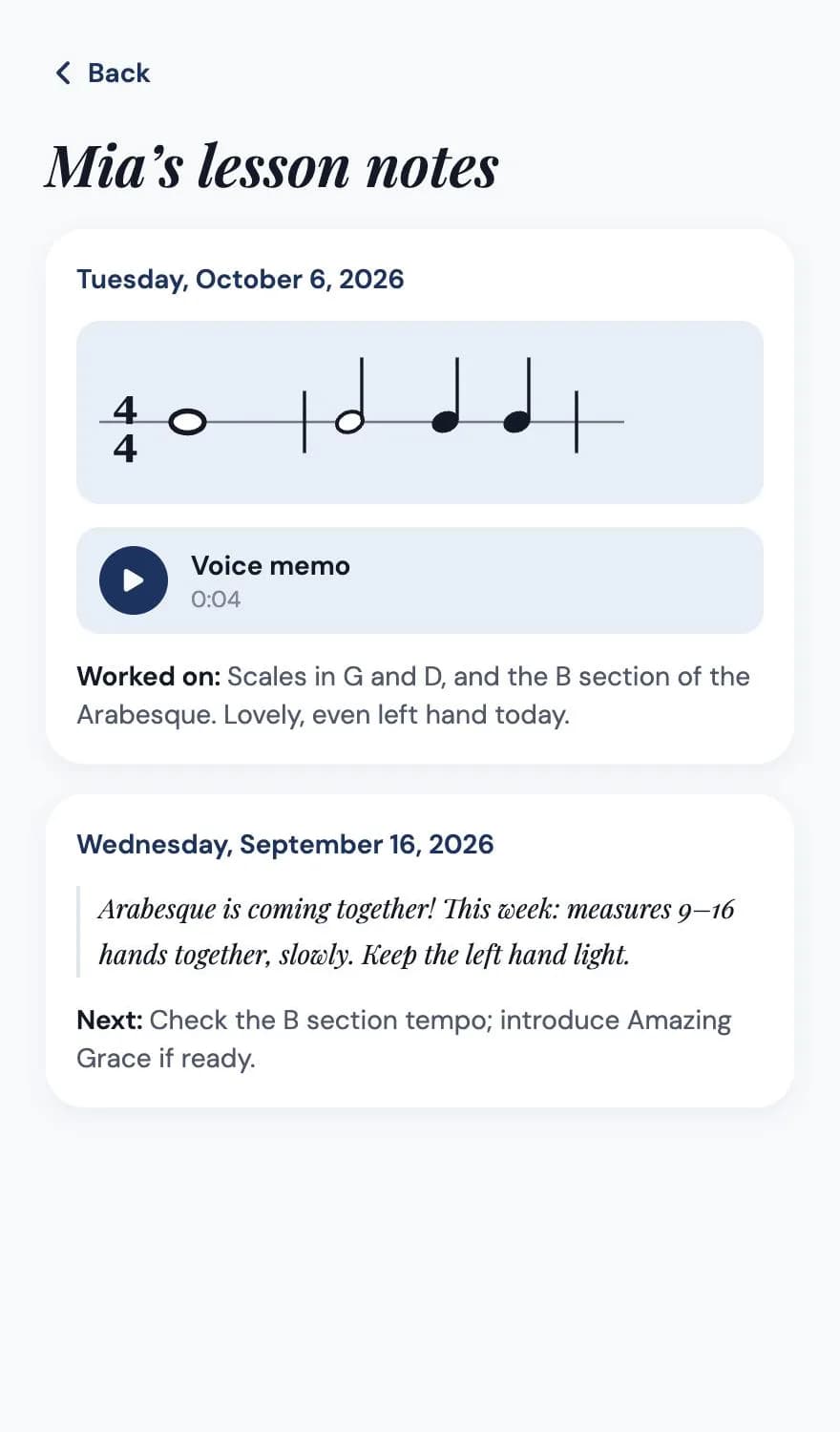
- Lesson notes with voice memos and rhythms you tap in, plus a private note only you see
- Assignments that reach your student's phone before they reach the car
- Every piece tracked from assigned to mastered, from a library of over 300 pieces or your own
- Theory tests you build in a minute, and a gradebook that breaks results down by skill
- Tuition invoices that send themselves, with autopay, reminders and receipts
- Coming: video you can record in the lesson and comment on by timestamp
- Coming: two-way sync with your Google or Apple calendar
For families
Parents see the week without asking you.
Invite a family by email, or text them a link from your own phone. They get their own free app: this week's practice minutes, the next lesson, your lesson notes with the voice memos and rhythms, and their invoices — one card for each child.
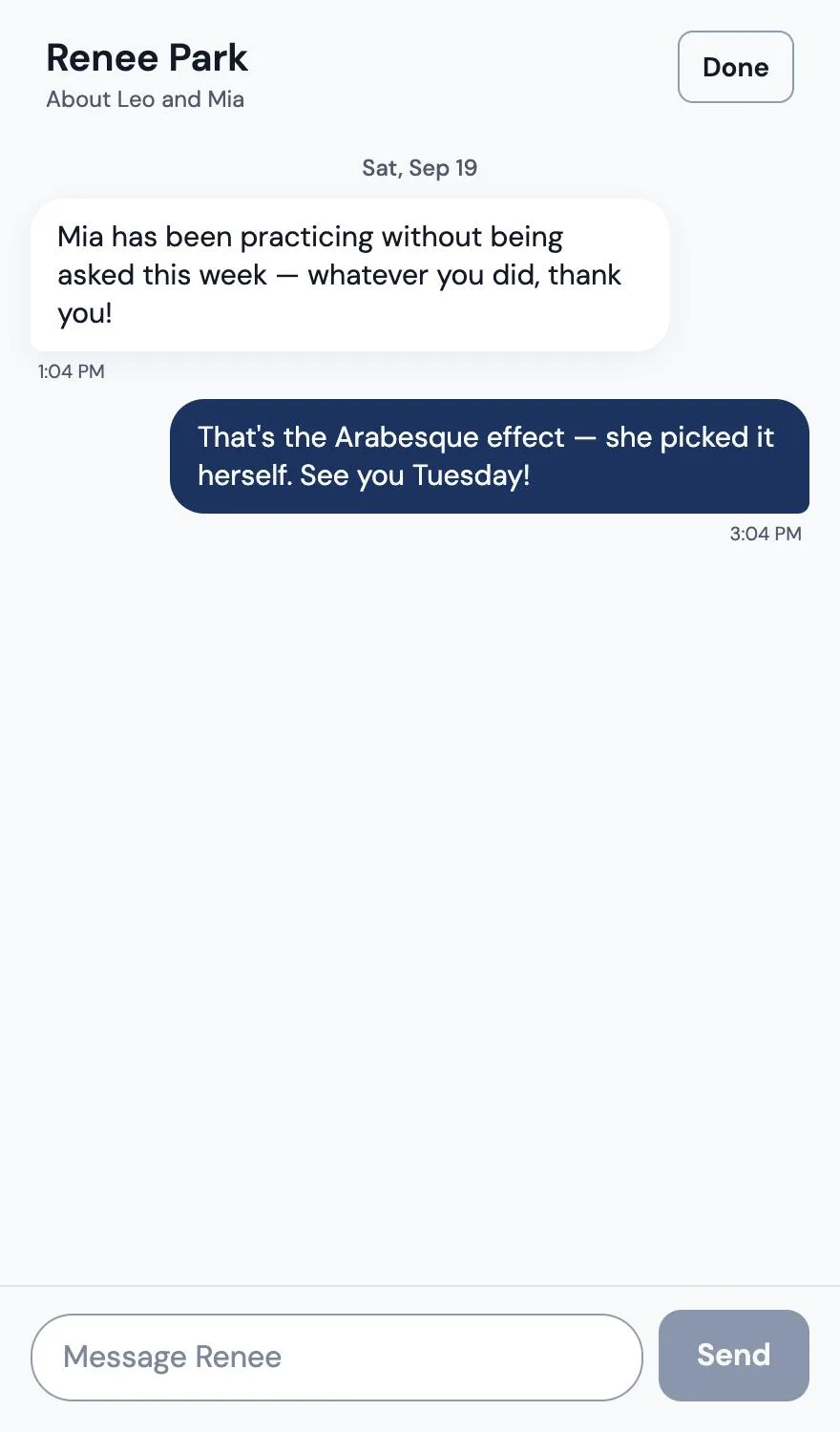
They can ask to move a lesson into one of your open times, and see before they confirm whether a cancellation will be charged or credited under your policy. When they have a question, they message you in the app instead of your personal phone. And every Sunday evening they get a short email of the week.
- This week, the next lesson and your notes, for each child
- Ask to move a lesson, or request a make-up after a closure
- Messages between you and the family, in one thread
- A Sunday-evening email of the week's practice
- Practice reminders at the time each family chooses, with quiet hours
- Their child's own login, with a sign-in code instead of a password
Tuition
Stop chasing tuition.
Connect your own Stripe account and families pay you directly, by card or bank — the money goes to your account, never through ours. Invoices go out on the day you choose, with one invoice per child, sibling discounts and an optional late fee.
Parents can turn on autopay, so tuition is charged on the due date with no reminder needed. Everyone else gets a reminder the day after it is due and again a week later. Receipts send themselves, every invoice downloads as a PDF, and at the end of the year there is one spreadsheet of every payment for your taxes.
Vittoria's fee on tuition is 0.5% of each payment. Stripe's own processing fees are separate.
- Families pay by card or bank, straight into your Stripe account
- Autopay, turned on by the parent
- Reminders that send themselves, so you never have to ask
- Book and recital fees added to the next invoice
- Mark cash or check payments, refund or void with the history kept
- A year-end spreadsheet of every payment
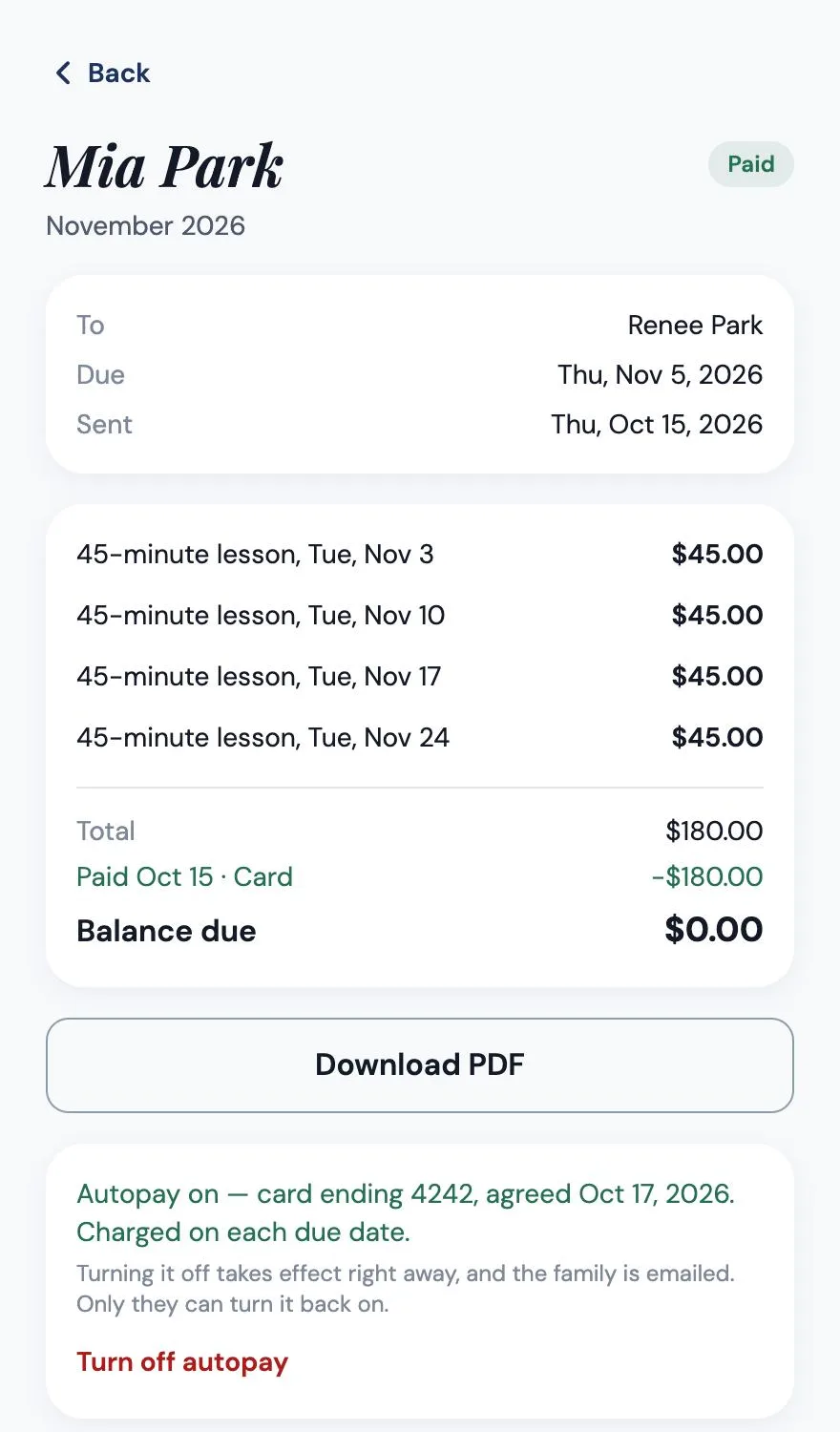
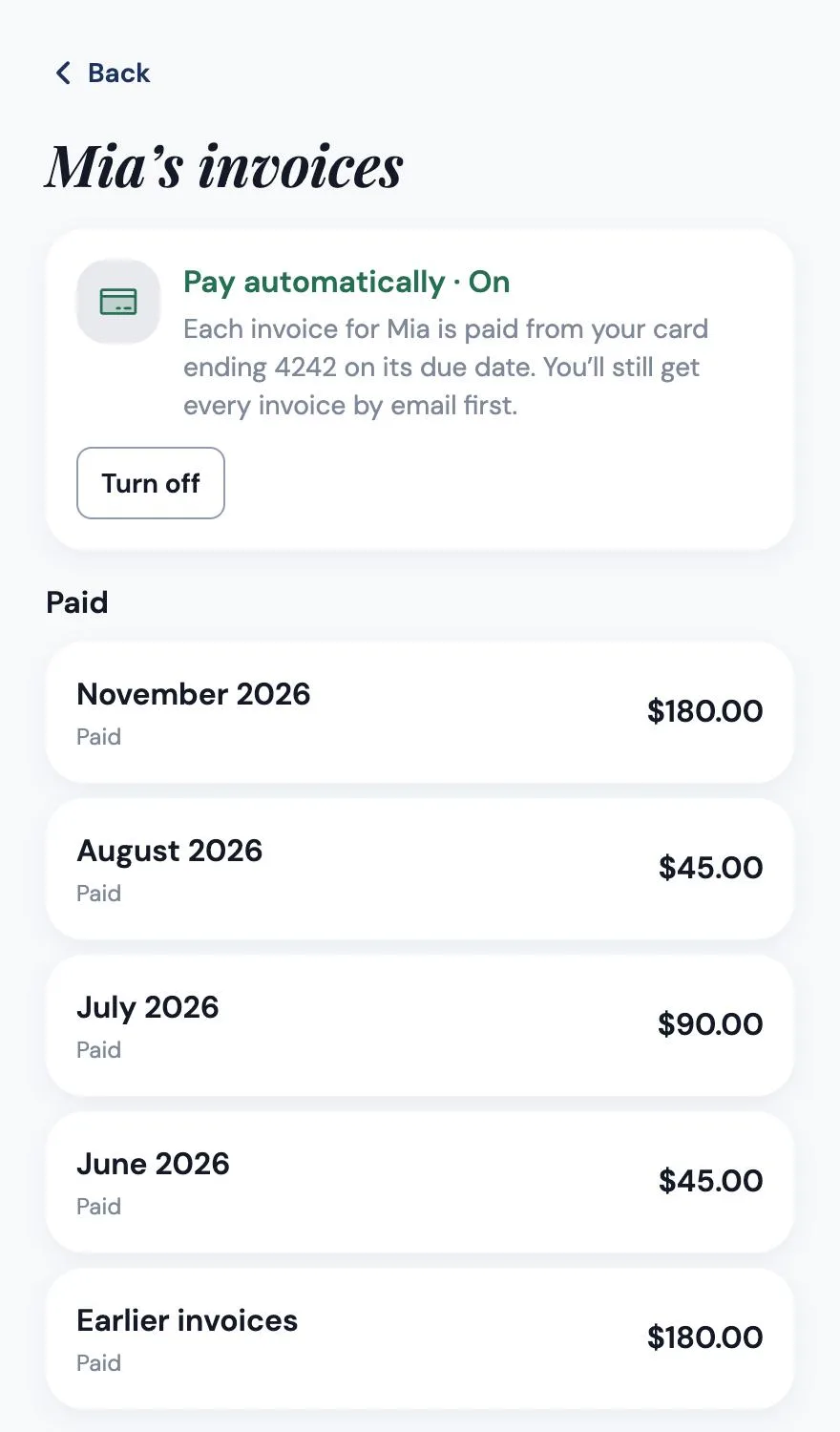
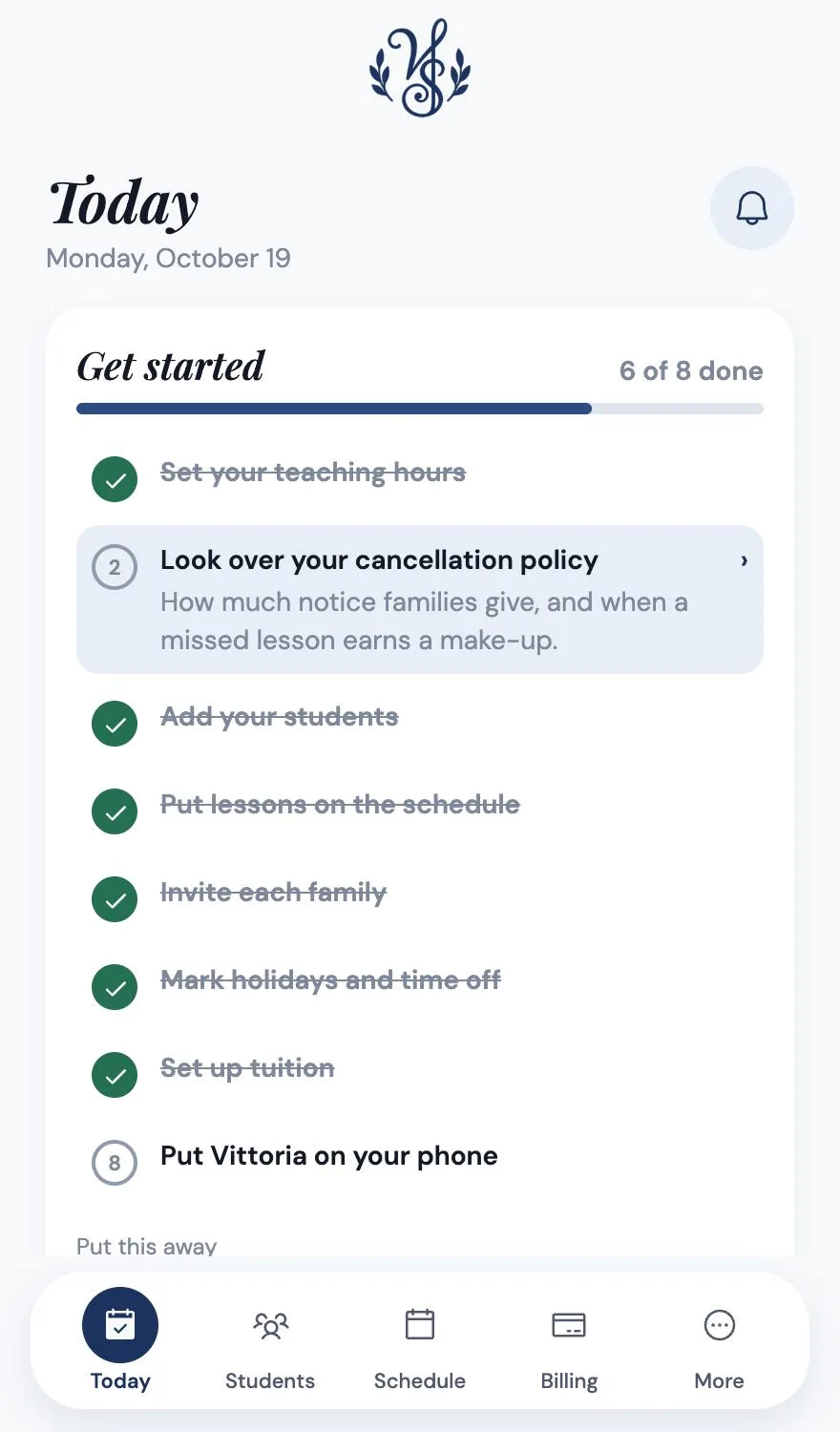
Screens from the live app. The students, names, ages and lesson times in them are invented sample data — no real child appears on this site.
For adult students
Not everyone wants confetti.
Mark a student as an adult and the game becomes a log. Same hours, same repertoire tracking, same records — just a muted palette, no animations, and nothing that talks to a fifty-year-old like they are eleven.
Built for children, properly
A children's app that acts like one.
- Parent-approved accounts
- No third-party trackers or advertising in the student experience
- No messaging between students
- Nothing public, ever
- Separate, revocable consent for video
Fair questions
What teachers say first.
- “I already use My Music Staff.”
- Then you know what scheduling and billing software does, and Vittoria Music Studio does that too — lessons, makeups, invoices and autopay. What you do not have is any idea whether your students practiced this week, and neither do they. That is the half Vittoria Music Studio adds, and it is the half that keeps students enrolled.
- “My students won't use another app.”
- They will use it for sixty seconds a day, which is what it asks for. The daily theory warm-up and the practice timer are the whole ask. And the ones who get into the collection will use it more than you expect.
- “It's more expensive than what I pay now.”
- It is about five dollars more a month than the tool you have. One student who stays an extra two months covers a year of it. If retention does not improve, you should not pay for it.
- “I don't want to gamify music. It should be intrinsic.”
- Agreed — and nothing here rewards playing badly. It rewards showing up, and the teacher is the only one who can declare something finished. It is a record of real work, not a slot machine. The game stays off until you turn it on for your studio, and adult mode turns off every animation while keeping the tracking.
- “Switching would take me a weekend.”
- Follow the Get started checklist: your hours, your students, their weekly lessons, an invite for each family. You can run it alongside what you have for a month — many teachers do.
Try it with your whole studio.
Five days free, every feature, every student. Your card is taken up front so nothing interrupts your teaching when the trial ends — cancel before it does and you are not charged.